How to Check Indonesian Social Aid 2024

Admin New
Daftar Isi
The Indonesian government is continuing its massive Social Assistance (Bansos) distribution program in 2024, aiming to maintain economic stability for low-income households. The surging public interest is highly visible, with the search query cek bansos (check social assistance) trending heavily across various search engines. This comprehensive article delves into how citizens can easily, quickly, and accurately verify their beneficiary status online.
Why is Social Assistance Crucial in 2024?
Amidst unpredictable global economic conditions, the social welfare programs initiated by the Indonesian Ministry of Social Affairs (Kemensos) serve as a crucial backbone for millions of vulnerable families. Programs such as the Family Hope Program (PKH) and Non-Cash Food Assistance (BPNT) have proven highly effective in sustaining the public's purchasing power. Confirming whether you or your family members are registered as recipients is now easier than ever, thanks to the government's digital transformation efforts.
Types of Social Assistance Distributed in 2024
There are several specific types of social assistance being distributed by the Indonesian government throughout 2024. The first is the Family Hope Program (PKH), which is specifically targeted at impoverished families meeting certain criteria, such as having pregnant women, toddlers, school-aged children, or elderly members. PKH aims to break the generational cycle of poverty by actively improving family health and educational quality. The second major program is the Non-Cash Food Assistance (BPNT), which is now frequently disbursed in direct cash via the Indonesian Post Office (PT Pos Indonesia) or state-owned banks. BPNT is tightly focused on assisting with the fulfillment of basic food necessities, ensuring families have access to rice, eggs, and essential nutrition. Thirdly, there is the Direct Cash Assistance (BLT) for Food Risk Mitigation, provided exclusively to anticipate and cushion the sudden spikes in staple food prices caused by volatile global economic dynamics. Through this diverse array of assistance programs, the government hopes to effectively reach and support the most financially vulnerable segments of society.
How to Check Bansos via the Official Ministry Website
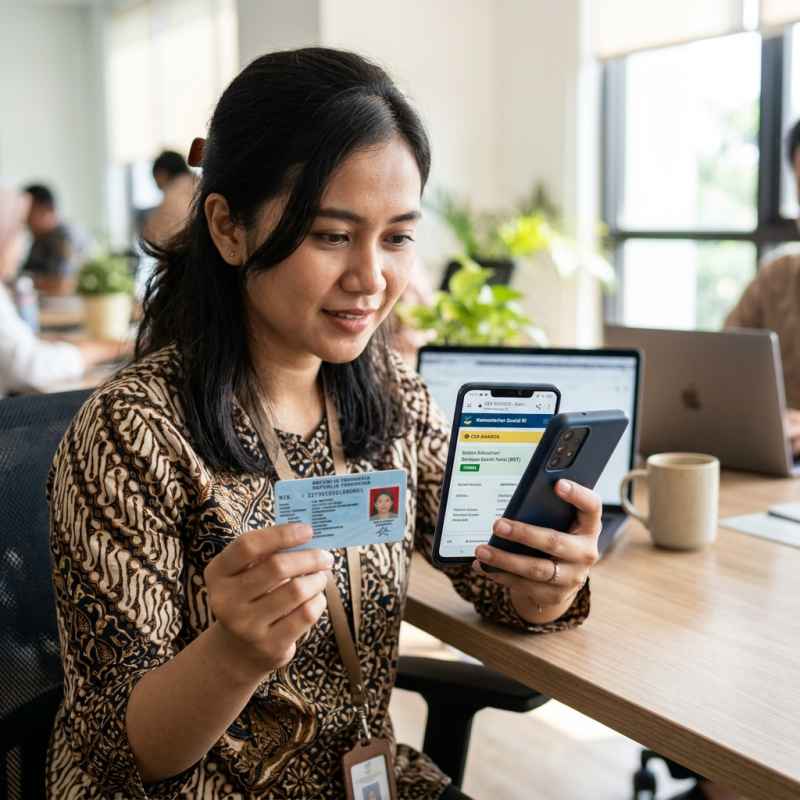
The government has provided an integrated online portal to facilitate easy checking for the public. Below are the practical, step-by-step instructions to access the official Ministry of Social Affairs website:
1. Visit the Cek Bansos Portal: Open a web browser on your smartphone or computer, and navigate to the official address at cekbansos.kemensos.go.id. Ensure your internet connection is stable before proceeding.
2. Enter Regional Data: On the main homepage, you will be prompted to input your domicile data exactly as it appears on your National Identity Card (KTP). Select your Province, Regency/City, District, and Village from the provided dropdown menus.
3. Type Your Full Name: Input your full name or the name of the family member you wish to check. Make sure the spelling matches the ID card perfectly to prevent any data retrieval failures.
4. Verify the Security Code: Type the randomly generated captcha code displayed on the screen into the designated text box. If the letters are difficult to read, you can easily refresh the code to generate a new one.
5. Initiate the Search: Click the search button. The system will immediately process your information and display the results, indicating whether the name is registered in the Integrated Social Welfare Data (DTKS) and detailing the current distribution status.
Using the Cek Bansos Mobile Application
In addition to the web portal, the Ministry has also released an official mobile application available for download on the Google Play Store. This app functions not only to check beneficiary status but also includes a robust dispute feature if there are data discrepancies in the field.
After downloading the application, users are required to create an account using their National Identity Number (NIK) and Family Card (KK) number. This registration process mandates a selfie holding the ID card for stringent security verification. Once the account is fully active, you can access the dashboard to view your comprehensive aid receipt history.
Common Troubleshooting Steps When Checking Status
Even though the digital system has been designed for maximum user-friendliness, occasional technical hurdles are still encountered by the public. One of the most common issues is the data not found error message. If you experience this specific problem, the very first step you should take is to double-check the spelling of your name and the accuracy of the regional domicile data entered. A single incorrect letter can easily cause the central server to fail in identifying your exact record. Furthermore, you must ensure that your National Identity Number (NIK) is properly synchronized with the central Civil Registry database. If your ID card data has not been updated to reflect your latest marital status or current address, the disbursement process can be significantly hindered. The best practical solution is to visit your local village office or regional social affairs department, bringing your original demographic documents to request a data correction or to submit a new proposal into the DTKS. The public is strongly advised to remain vigilant against scams and irresponsible parties promising guaranteed aid in exchange for money, as the entire official registration and distribution process by the Ministry of Social Affairs is completely free of charge.
Written by
Admin New
Admin • Total Kontribusi: 4495 artikel
Administrator of ModerNews
Reader discussion
Komentar (0)
Share your thoughts respectfully.